# Updates
Several components of ezPAARSE can be updated:
- the ezPAARSE core (new features, bug fixes, etc.)
- middlewares
- parsers
- resources
- exclusions
These updates can be performed either through the ezPAARSE administration interface or via the command line.
# Full update
# Web interface
On page /admin/updates you can click on update button, on the Software tab.
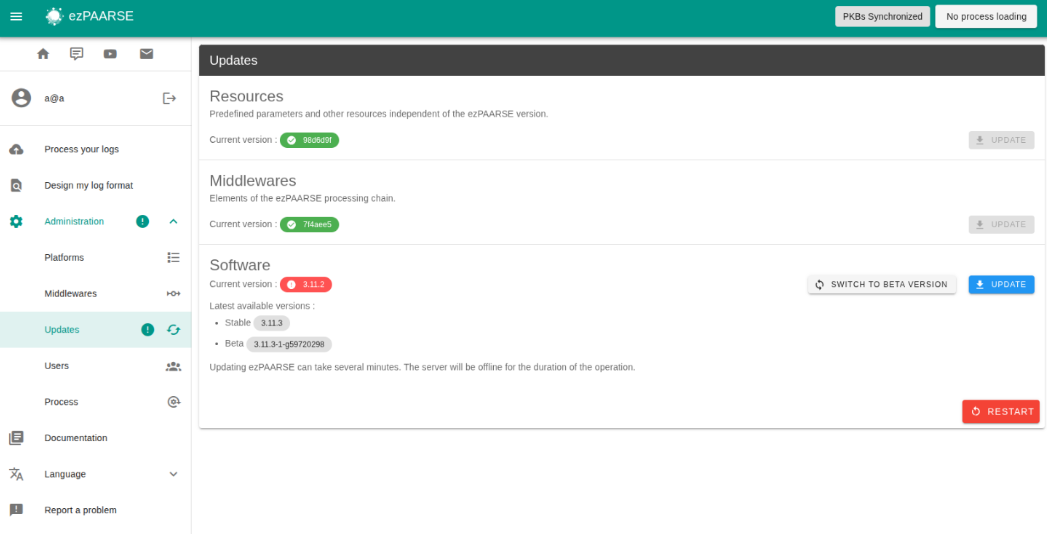
After clicking the “Restart” button, ezPAARSE will restart.
⚠️ ezPAARSE may not restart; in that case, you will need to use the command line to restart it.
make start
# Command Line (CLI)
To update all components (core, middlewares, resources, platforms, exclusions), use the following commands.
A restart of ezPAARSE is required for the changes to take effect.
# Update all components
make update

# Restart ezPAARSE
make restart
# Middlewares
# Web interface
You can update middlewares on 2 pages :
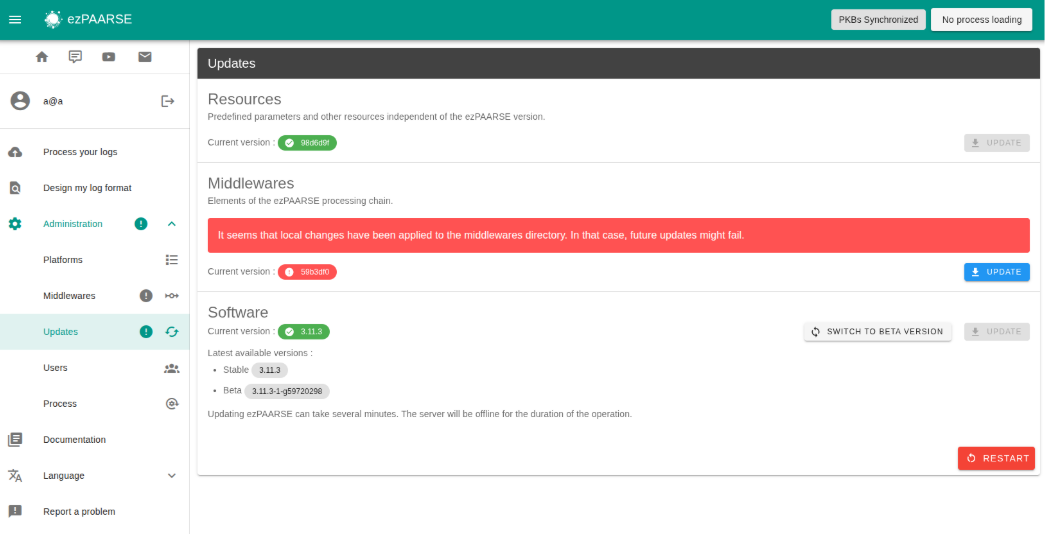
- on page /admin/update, you can click on update button, on the Middlewares tab.
- on page /admin/middlewares, you can click on update button.
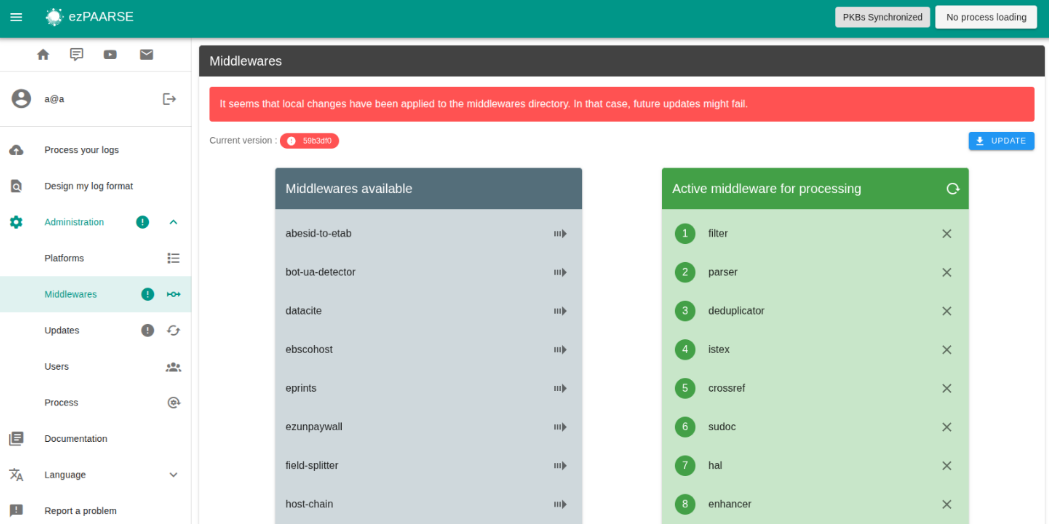
After updating the middleware, you must restart the ezpaarse instance via the web interface or the command line.
# Command line (CLI)
You can update the middleware using make or git.
# in ezPAARSE folder
make middlewares-update

# in middleware folder
git pull
For the update to take effect, you must restart ezPAARSE.
make restart
# Platforms
# Web interface
On page /admin/platforms you can click on update button.
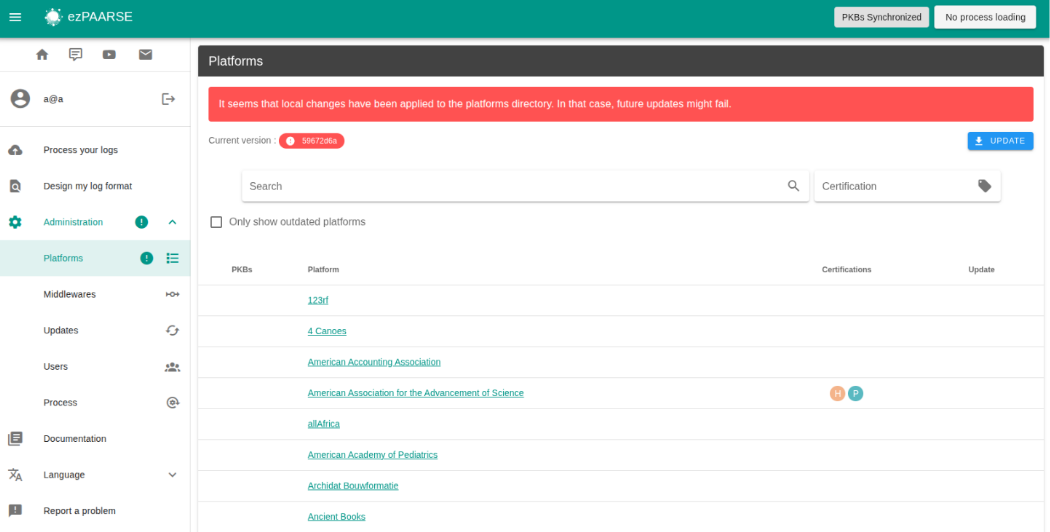
After updating the platforms, you must restart the ezpaarse instance via the web interface or the command line.
# Command line (CLI)
You can update the platforms using make or git.
# in ezPAARSE folder
make platforms-update

# in platforms folder
git pull
For the update to take effect, you must restart ezPAARSE.
make restart
# Resources
# Web interface
On page /admin/updates you can click on update button, on the Resources tab.
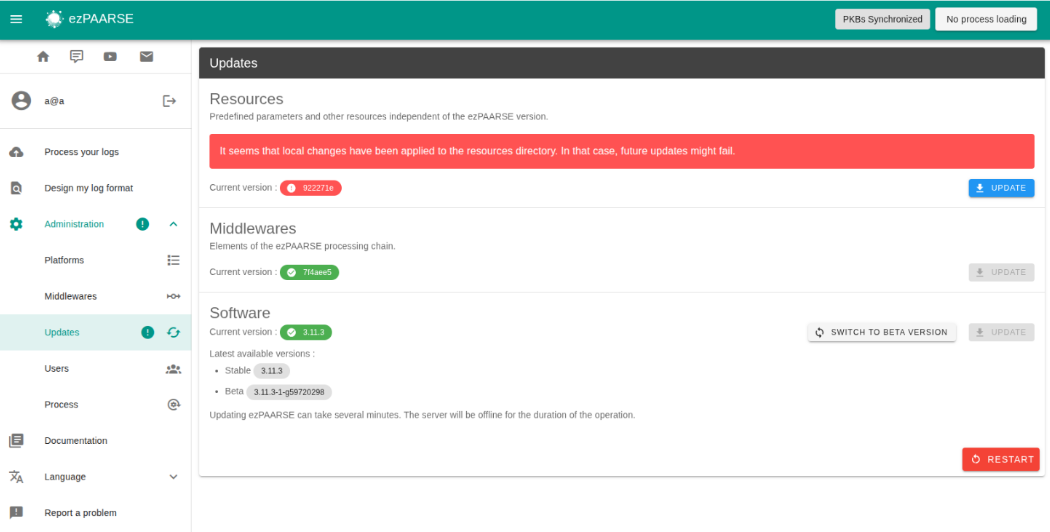
After updating the resources, you must restart the ezpaarse instance via the web interface or the command line.
# Command line (CLI)
You can update the resources using make or git.
# in ezPAARSE folder
make resources-update

# in resources folder
git pull
For the update to take effect, you must restart ezPAARSE.
make restart
# Exclusions
# Command line (CLI)
You can update the exclusion using make or git.
# in ezPAARSE folder
make exclusions-update

# in exclusion folder
git pull
For the update to take effect, you must restart ezPAARSE.
make restart
# Restart ezPAARSE
# Web interface
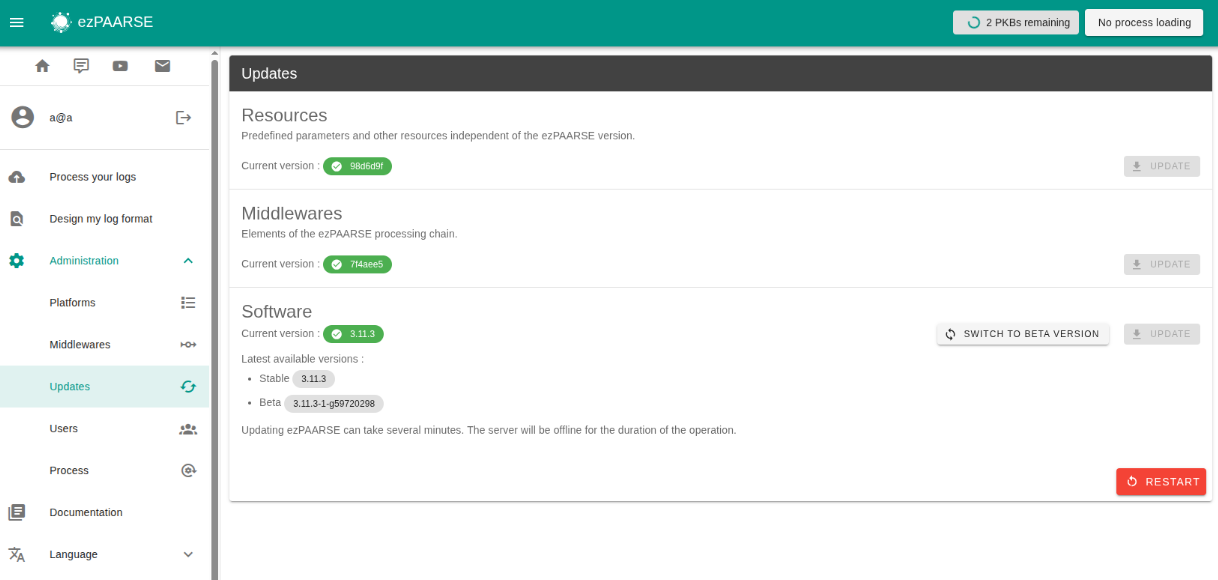
You can restart ezPAARSE after any update. If a process is currently running, you will be notified before you can restart ezPAARSE. Please note that if you restart ezPAARSE while a process is running, that process will be canceled.
# Command line (CLI)
You can restart ezpaarse using make.
make restart